
Get Set Up in 3 Steps
- Create Your Login. Sign in with Auth0, using Google or an email and password.
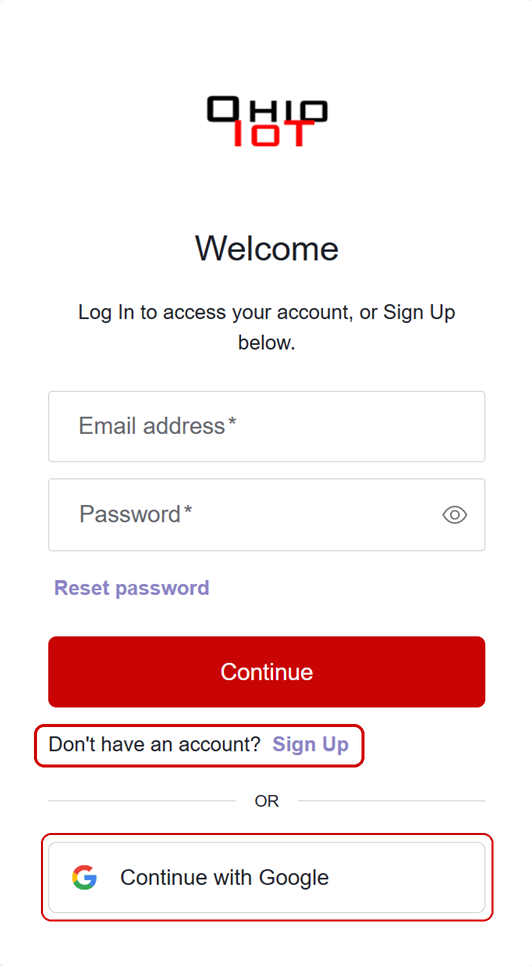
New here? Click Sign Up, or continue with Google. - Start Your 30-Day Free Trial. Click Subscribe and add your card through Stripe. We ask for a card so we know you're serious. Cancel before day 30 and you won't be charged.
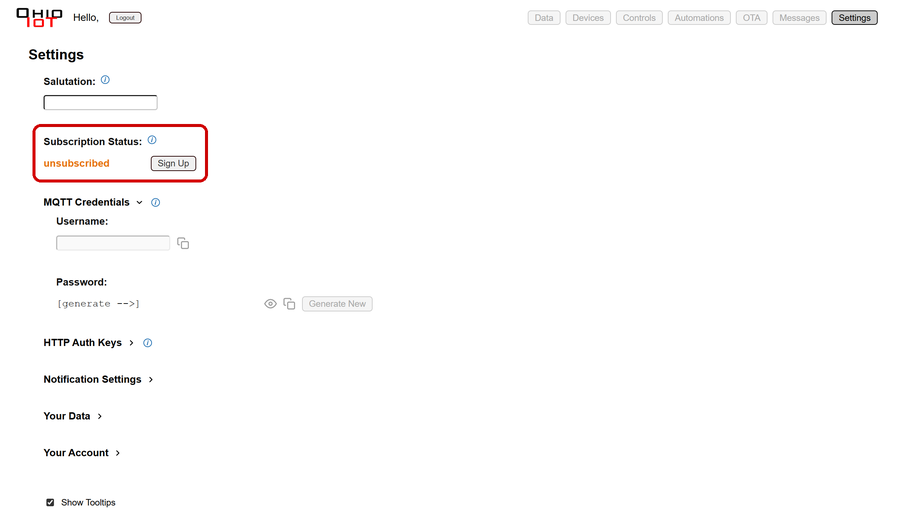
In Settings, click Sign Up next to Subscription Status. 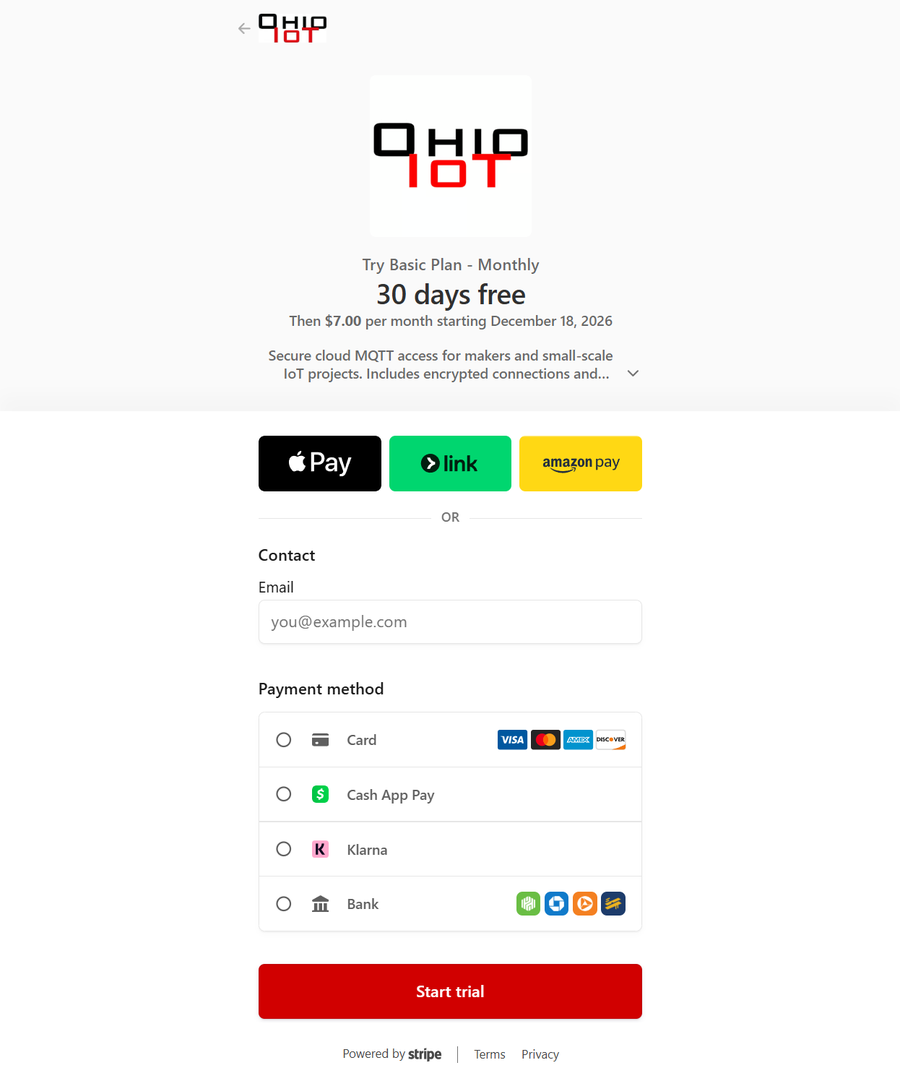
Add your card and click Start trial. - Pick Your Device Username and Password. Your account is active right away, and you can connect your first ESP32.
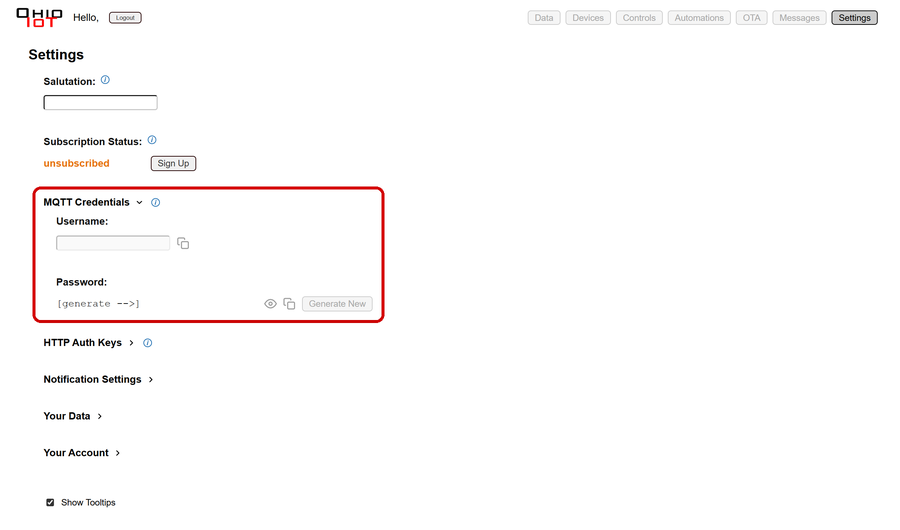
Pick a username, click Generate New for a password, and you're active.
If You Cancel
You can have your data deleted right away. If you don't ask, we keep it for 90 days in case you come back.